
A packing list accompanies an international shipment and is used to inform transportation companies about what they are moving. It also allows the customer and others involved in the transaction to check what has been shipped against the proforma invoice.
Create form PO (Purchase Order) project
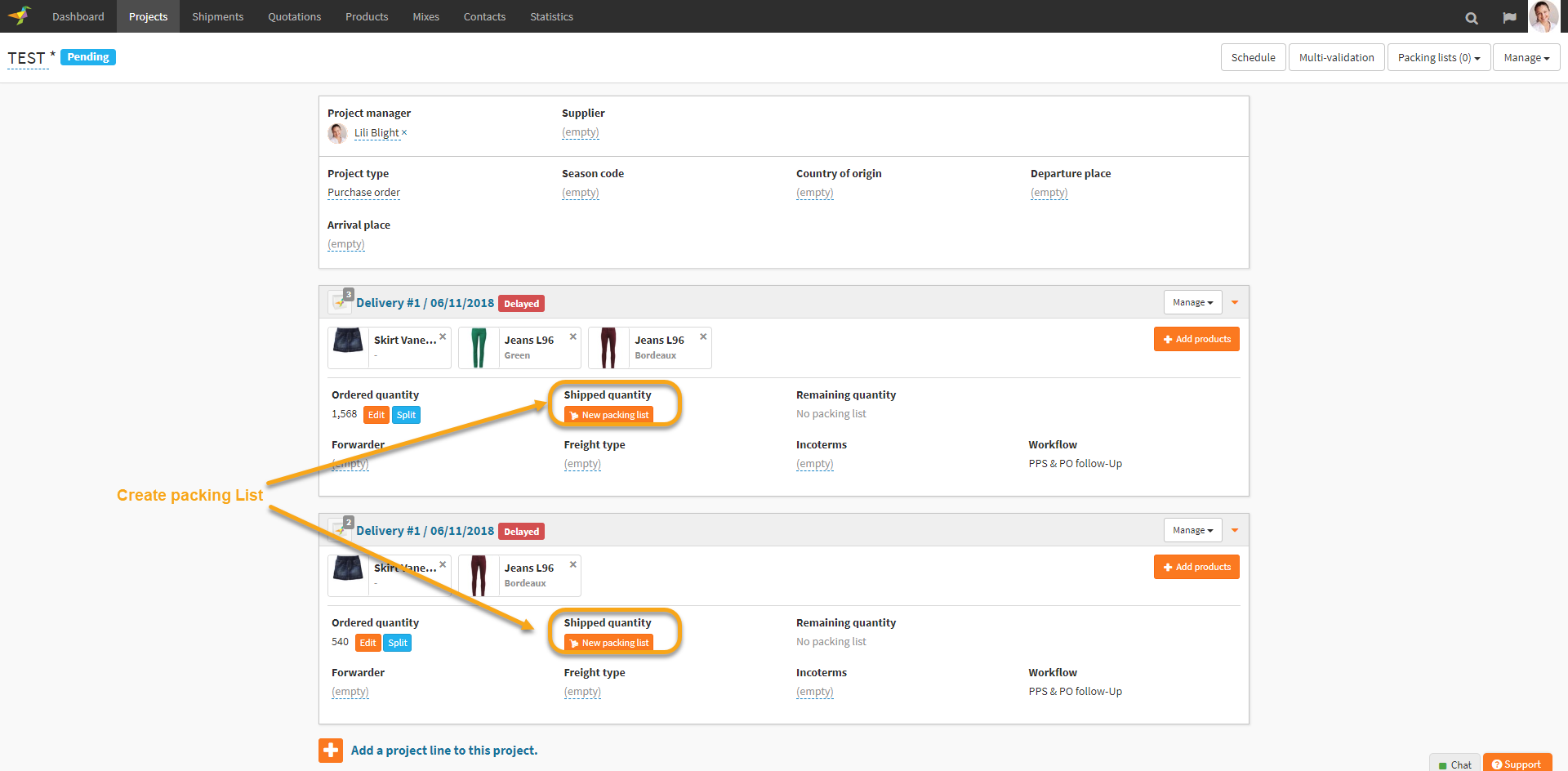
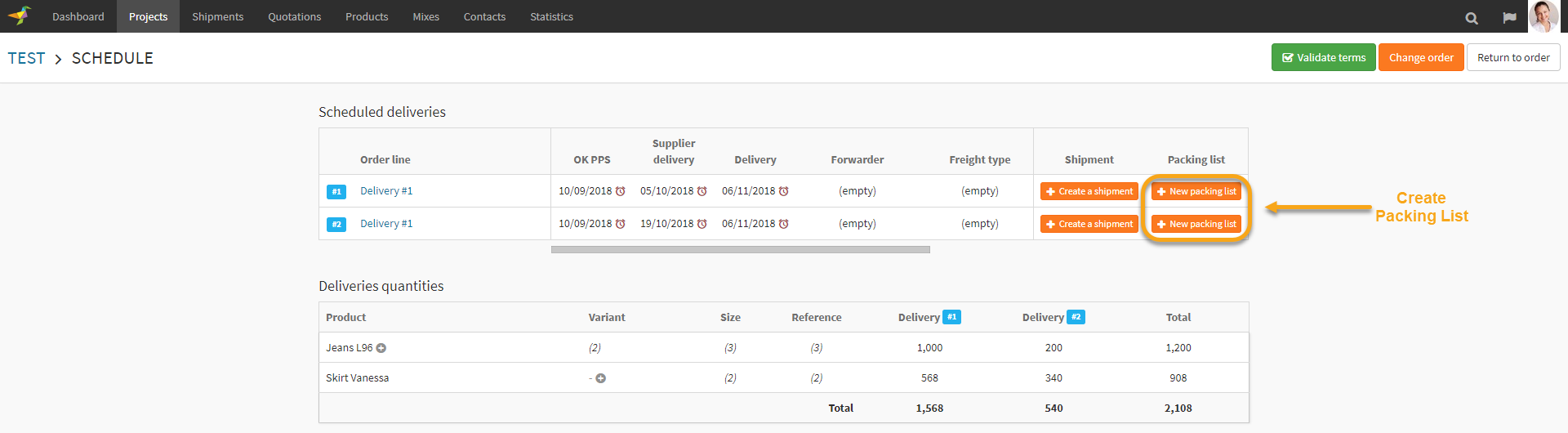
In Winddle a packing list can be created from the PO (Purchase Order) project
- On project page > project line
- On project > schedule
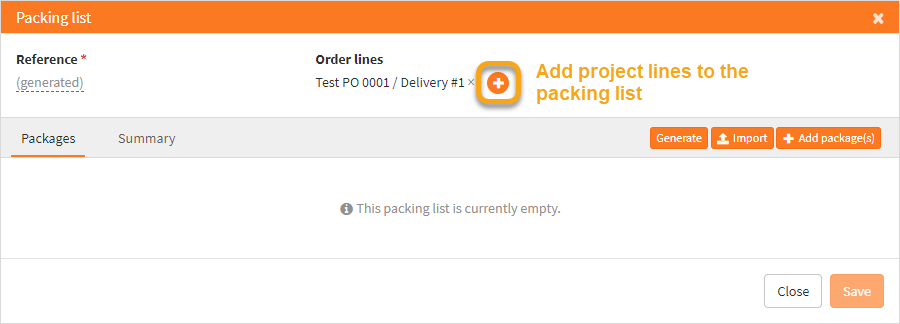
The packing list modal will be displayed then you can add other project lines to the packing list.
Create form shipment
In Winddle a packing list can be created from shipment > packing tab
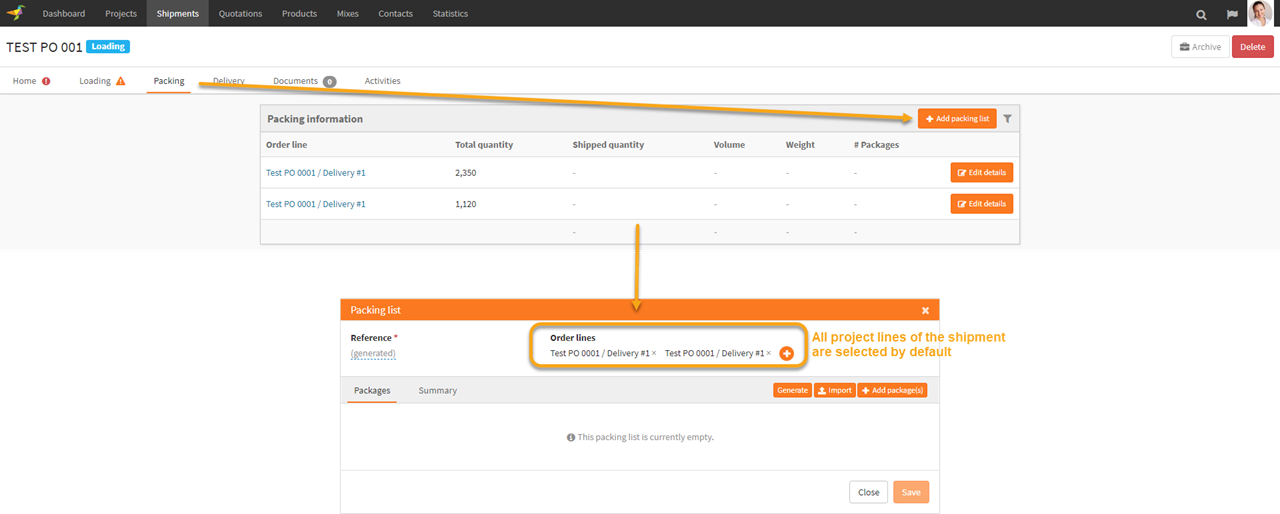
Create Packing list
In Winddle to create the packing you can
- Declare packages
- Generate the packing list
- Import the packing list (CSV, Excel)
Add Packages
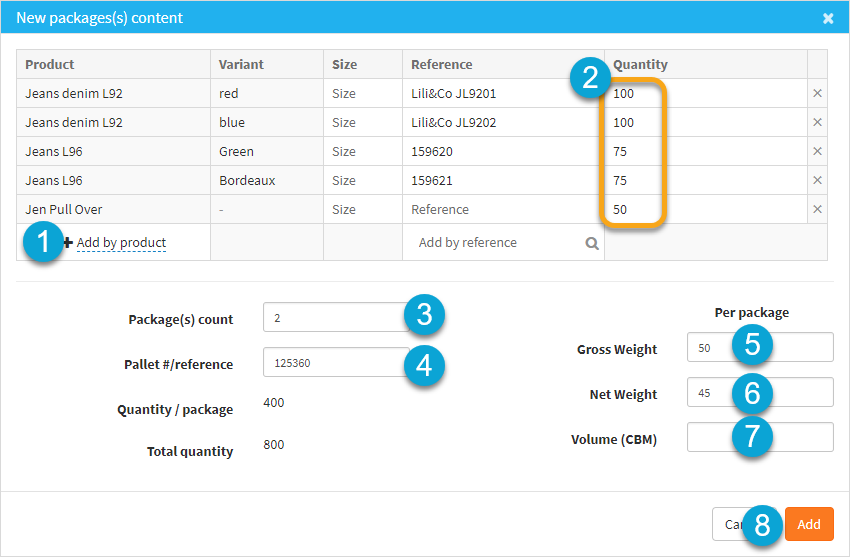
You can create the packing by declaring the packages in Winddle
1. Select the product(s) within the package
2. Input the quantity for each product
3. Declare the number of package (that will create X identical packages)
4. Declare the Gross weight of the package
5. Declare the Net weight of the package
6. Declare the Volume of the package
7. Click to add the package(s)
Generate Packing List
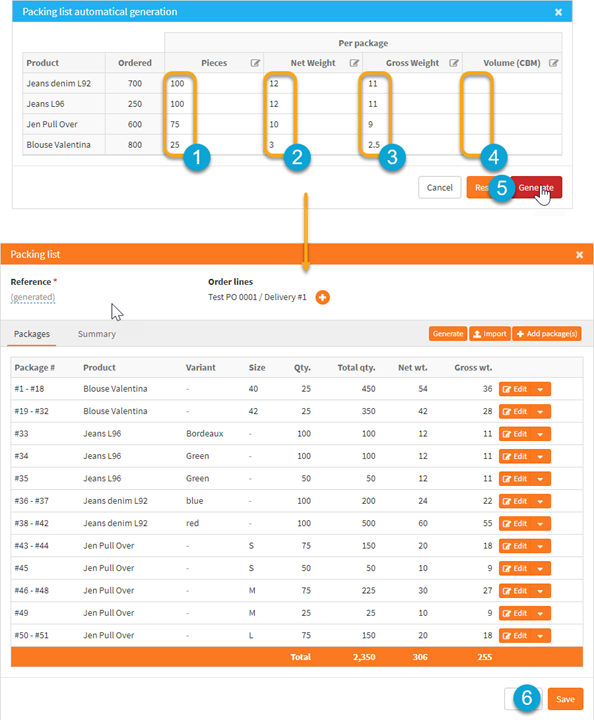
A packing list can be generated based on the Project Line product selection and quantities. This can only be used for single packing.
1.Declare the number of each products per package
2. Declare the Net Weight per package
3. Declare the Gross Weight per package
4. Declare the Volume (CBM)
5. Click on Generate
6. Check the generated packing list (update if needed) and click on “Save”
Import Packing List (CSV, Excel)
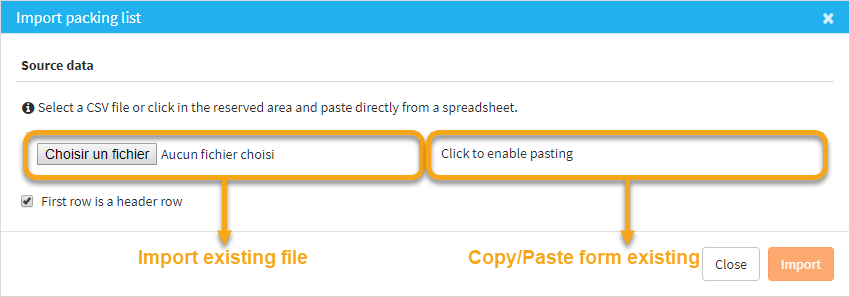
When importing a packing list you can either import a CSV file or copy paste from an Excel document.
| Package # | Product | Size | Reference | Quantity | Pallet # | Net Weight | Gross Weight |
| 1 | Blouse Valentina | 40 | 1111 | 450 | 15 | 16 | |
| 1 | Blouse Valentina | 42 | 1122 | 350 | 15 | 16 | |
| 2 | Jeans L96 | 2211 | 100 | 16 | 17 | ||
| 2 | Jeans L96 | 2222 | 150 | 16 | 17 | ||
| 2 | Jeans denim L92 | 311 | 200 | 16 | 17 | ||
| 3 | Jeans denim L92 | 3322 | 500 | 17 | 18 | ||
| 3 | Jen Pull Over | 4411 | 200 | 17 | 18 | ||
| 3 | Jen Pull Over | 4422 | 250 | 17 | 18 | ||
| 3 | Jen Pull Over | 4433 | 150 | 17 | 18 |
Packing List file exemple
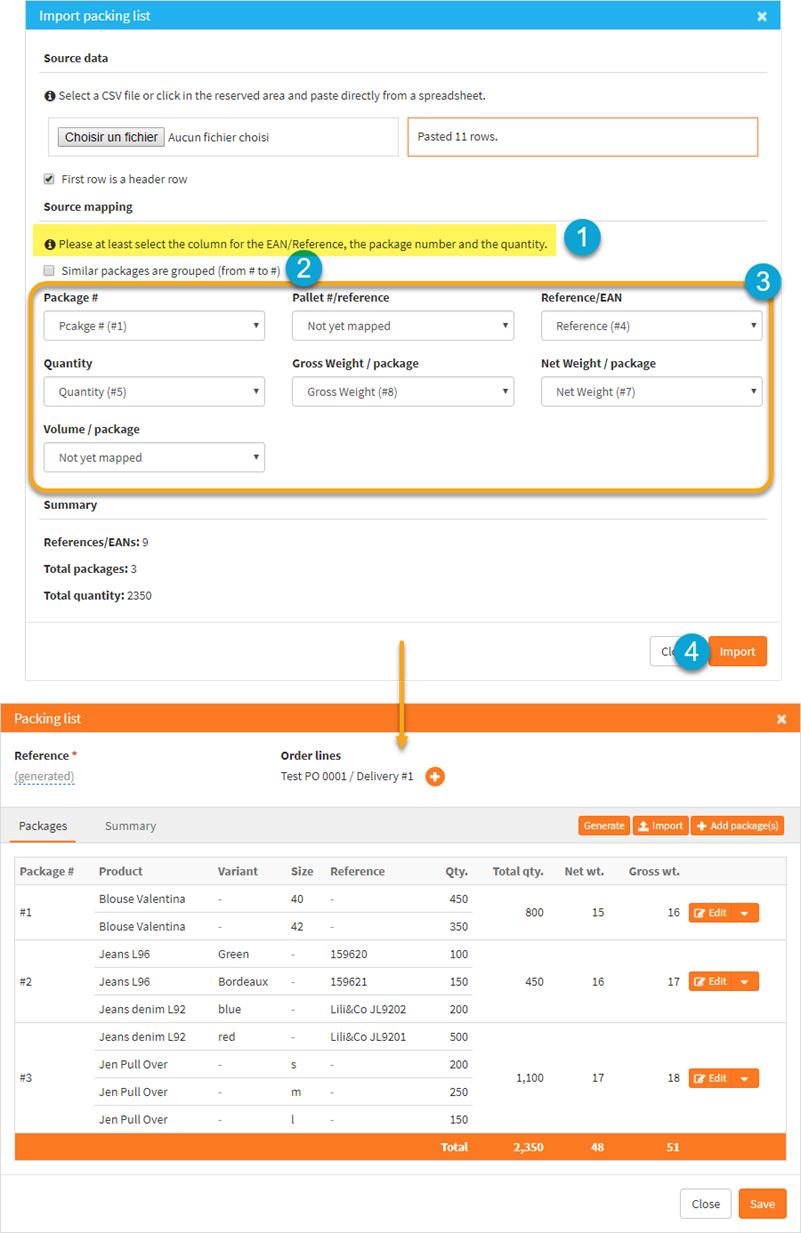
1. Toggle the view depending if your doing the list per item or per similar packages.
2. Please at least select the column for the EAN/Reference, the package number and the quantity.
3. Complete the mapping (it will be saved by Winddle)
4. Click on "Import"
5. Check the packing list (update if needed) and click on “Save”
0 Comments