
In Winddle the contact selection is designed to help you select contacts based on the SRM data like rating, role, validation etc...
The feature is available on all contact fields selection through Winddle on Product, Project and Shipment modules. It is linked to SRM data (see article)
Overview
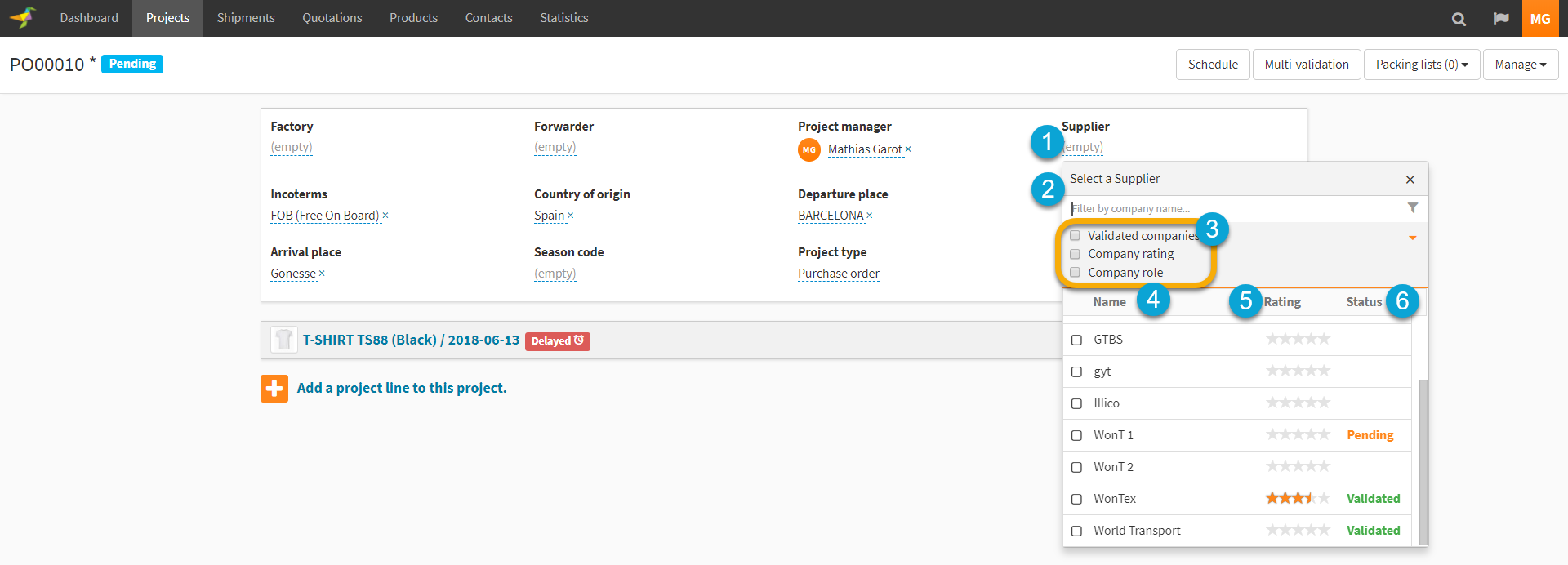
1. Click to select the "Supplier"
2. You can search for the contact by typing the name
3. You can refine the search in order to
- display only "Validated" companies
- search by company rating
- filter company roles
4. Here the name of the company is displayed
5. The company rating (out of 5)
6. The company validation
Specific Behavior
Validated company
Ticking the box will select only the companies with validation status equal to "Validated". The validation process can be set from the "Company Settings" (see detailed article) then its status is given from the SRM module (Contacts) (see detailed article)
Company rating
You can search for company based on there rating.

Select the rating on the start scale (out of 5), and it will return the companies with a global rating equal or superior to the selected value, for exemple 4. See the detailed article on rating here.
Company roles
On Winddle each company you are working with. You can select on or several roles to filter on.
NB: The role has to be set in order for the filter to be efficient. Either by the company itself for Winddle companies or by you for non Winddle companies.
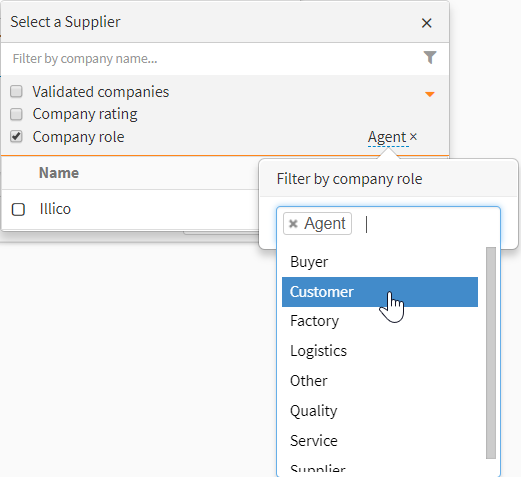
Company role filter is pre-set for some selected contract fields as follow
| Module | Contact Field |
Pre-set role |
| Project | Forwarder |
Supplier Logistics |
| Project | Factory | Factory |
| Project | Final Customer | Customer |
| Quote | Factory | Factory |
| Shipment | Supplier | Logistics |
0 Comments