
A RFQ can be cancelled form the quotation page
To do so open the RFQ that you want to cancel
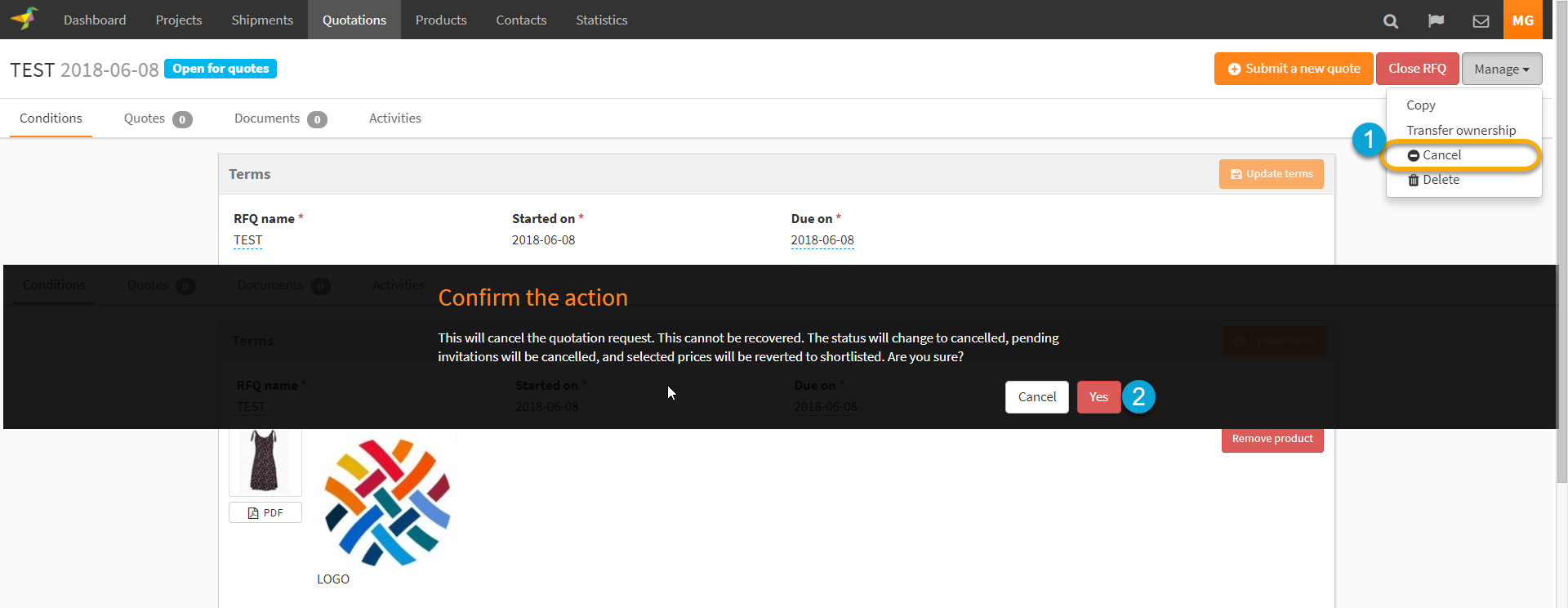
1. Click on Manage > Cancel
2. A pop-up will open for you to confirm the cancel
The RFQ status will be updated to "Canceled" and the quotation will be archived
If you cancel an RFQ, the selected quotes status will change from "Selected" to "Shortlisted".
The pending invitation to the RFQ will be cancelled.
The supplier will not have access to the product(s) of the cancel RFQ.
0 Comments